Showing posts with label annotation. Show all posts

Monday, April 8, 2019

Annotating PDFs using Google Read & Write

Are you and your students already using Google Read & Write?  If not, please check it out-- it has tools that all students can benefit from.  In fact, as I posted recently, I sometimes use it just to have text read to me to give my eyes a break.

I just learned that there is now a new feature-- adding both freehand drawings and shapes to annotate PDFs.  Take a look at this intro video:


This makes a great tool even more helpful.  Please let me know if you'd like me to present it to your students.

Friday, October 30, 2015

Educational Diigo accounts

Dear teachers and students,

Do you use Diigo? Are you interested in using Diigo?  It's pretty awesome!

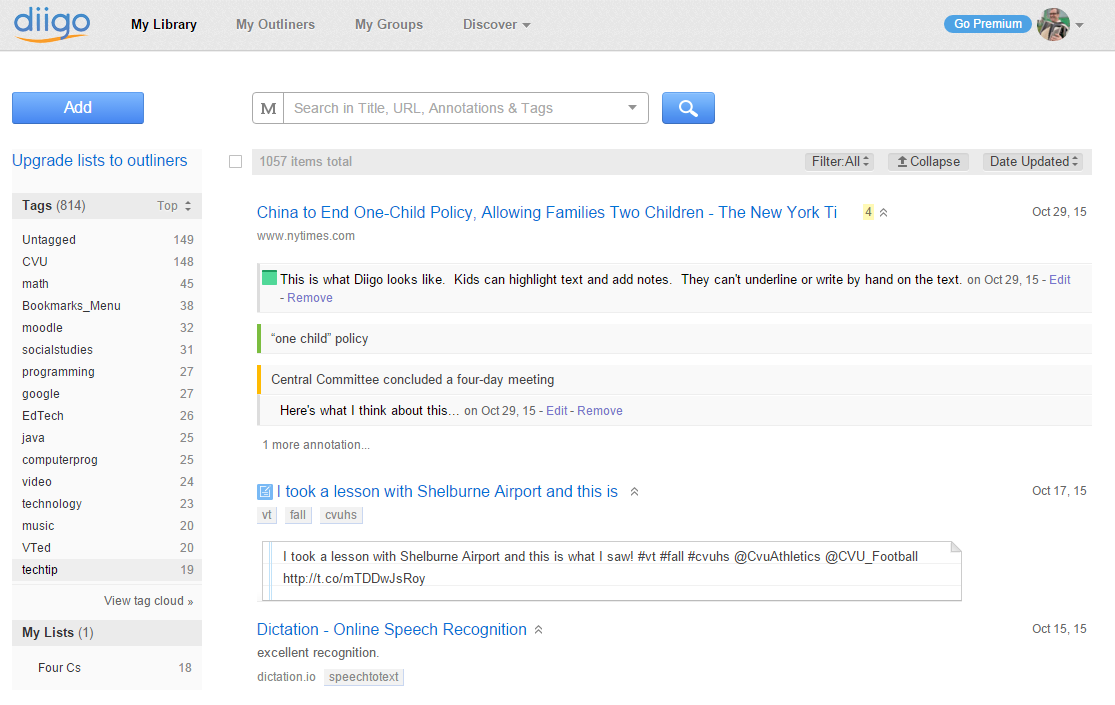
Diigo is a bookmarking and annotation tool.  It lets you annotate web pages and pdf files (by highlighting and adding sticky notes).  The page is then saved in your library-- along with the annotations.  You can share your bookmarks in a group for collaborative research, as well.


Last year we had an educational plan for Diigo.  We are looking into doing that again this year (given the cvuhs --> cssu.org name change, we had to re-apply). To answer a question I've gotten, it's OK to go ahead and log in with your cssu.org address.

Please let me know if you'd like me to get you started with it.

Wednesday, January 14, 2015

Resources for using Diigo in the classroom

Dear teachers and students,

I've updated my guides on getting started with Diigo.  These may be found in the Faculty and Staff Moodle and CVU Students Moodle pages, respectively.

Some FAQ:
What is Diigo?
It is an online tool that allows you to bookmark, annotate (add highlighting and notes), and share web pages and PDF files.
Why should I try it?
You can keep all your bookmarks in the cloud (access them from any computer), mark up pages, create groups for collaborative research, and more.
Do I have to use the Chrome browser?
To access your bookmarks, you can use any browser and log in to http://diigo.com.  If you want to have the highlighting/annotation tools, you need to use the extension in Chrome.